

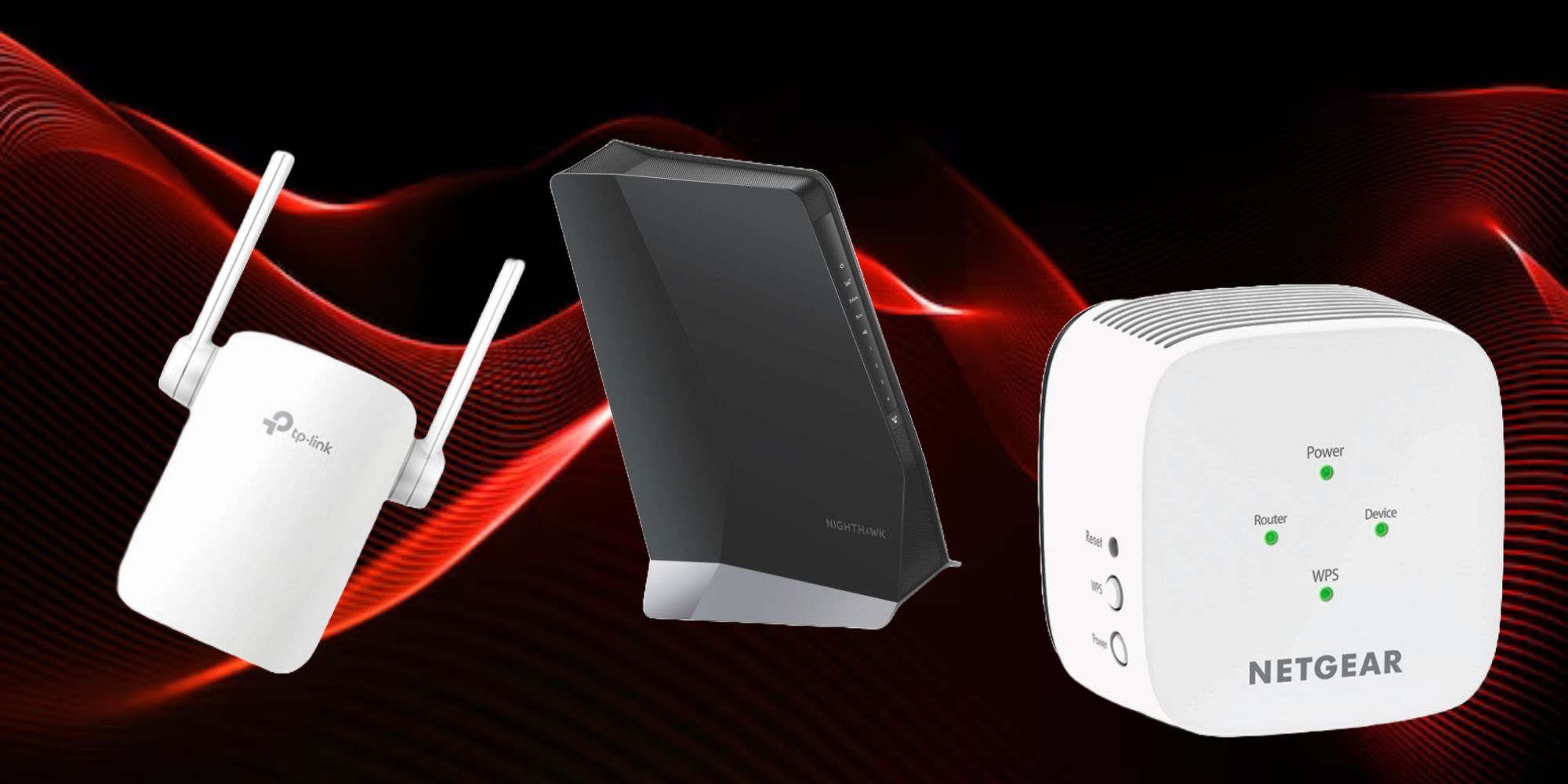
*Late 90s informercial voice* Fed up with dead zones around your home where Wi-Fi just doesn’t reach? You’re not alone, friend. Spotty wireless coverage is one of the top connectivity complaints for modern smart home devices. Fortunately, an affordable Wi-Fi range extender provides an easy solution to expand your coverage and eliminate those pesky little dead zones.

Best Internet Routers For Gaming In 2024
Whether you’re looking to wipe out lag for good or you want a little more security, we’ve got you covered.
However, with so many models on the market, choosing the right extender can be tricky. To help, we’ve researched and reviewed the latest solutions to bring you the definitive list of the best models available in the market right now. Well, go on then, give them a little look and let us know what you think!
Updated on March 9, 2024, by Sai Vsr: In this recent update, we have upgraded this list with one more really cool option.
Best Wifi Extenders

TP-LINK AX1500
Great for general use.
The TP-Link RE505X AX1500 Wi-Fi 6 range extender features the latest Wi-Fi 6 technology for faster speeds and expanded coverage. It’s also super easy to set up and use.
- Supports TP-Link OneMesh for mesh networking.
- Delivers solid throughput, especially on 5GHz.
- Works with any Wi-Fi router or access point.
- 2.4GHz signal could be stronger.
Featuring a compact white design, this extender from TP-Link (god, that company is dominating this list at this point) blends into any living space while giving you wireless speeds up to 1.2Gbps on the 5GHz band.
The installation is pretty much plug-and-play thanks to the intuitive Tether app for both iOS and Android devices. The extender also has some pretty advanced tech like OFDMA on board for bringing down any potential network congestion, even when you have got a lot of devices hooked up to it.
And for those frustrating blackout areas, it can form a unified Mesh network (only if it’s paired with compatible OneMesh routers though).

Netgear Nighthawk EAX80
Best High-End
For the elite.
$220 $250 Save $30
Need blazing fast Wi-Fi for that huge home? This Nighthawk extender brings next-gen Wi-Fi 6 to extend connections up to 2,500 sq ft. With crazy speeds up to 6Gbps, it’s built to handle 30+ devices smooth as butter. Talk about serious range!
- Supports WiFi 6 for faster speeds and simultaneous connections.
- Has tri-band connectivity with a dedicated 5GHz band.
- Four high-powered internal antennas provide strong signal strength across larger homes.
- It only has 2 ethernet ports.
- The large wall-plug design may be inconvenient for smaller outlets.
The Netgear Nighthawk A6000 delivers powerful Wi-Fi extension for improving coverage across large homes. This dual-band extender works with any existing Wi-Fi router to maximize range and speed. Right out of the box, the A6000 makes a great first impression with its modern, compact design featuring four external antennas. Even aesthetics-wise, the extender plugs directly into any wall outlet without looking bulky or out of place.
Setup is fairly straightforward, and can be done by downloading the Netgear Nighthawk app on your mobile device. The app walks you through the process of connecting to the extender network and syncing with your existing Wi-Fi. In just a few minutes, the A6000 is set up and all good to go. Alternatively, you can also use a web browser for the setup process if you want.
Things are pretty solid on the UI end too. Bandsteering automatically connects your devices to the less congested band, while Airtime Fairness improves connectivity by limiting older device bandwidth. Additionally, implicit beamforming directs the Wi-Fi signal directly to connected devices. With this level of performance, the A6000 works seamlessly in the background to blanket your home with serious Wi-Fi access.

TP-Link EAP610
Best Outdoor
Who likes to stay inside anyway
Unleash high-speed 1.8Gbps Wi-Fi for harsh outdoor environments with the EAP610-Outdoor access point. Its IP67 rating, long-range coverage, mesh networking and Omada SDN integration deliver exceptional wireless performance across large outdoor areas like parks and pools.
- Rugged IP67 enclosure withstands harsh weather.
- Long range coverage reaches up to 300 meters.
- Integrates with Omada for centralized control.
- Only has 2×2 MU-MIMO streams.
- Omada controller requires subscription.
Now, now, before you say anything, let us clarify this right away. Yes, we know this is an access point and not an extender, but hear us out. There aren’t many decent outdoor extenders out there. Which is why an access point would serve you better. Now that we have got that out of the way…let’s dive in.
The EAP610 really shines when it comes to speed, with Wi-Fi 6 technology allowing for wireless connections up to 1.8 Gbps. This enables hundreds of users to enjoy smooth 4K streaming, video calls, online gaming and other bandwidth-heavy activities simultaneously. The unit also utilizes OFDMA and MU-MIMO for efficient distribution of bandwidth across multiple devices.
When it comes to range, the unit stands out with its high-gain directional antennas and amplifiers providing coverage up to 300 meters. The weatherproof IP67-rated enclosure allows the unit to be deployed just about anywhere outdoors without worrying about dust or moisture damage.
For flexible installation, this extender supports both pole and wall mounting. You also get some versatile power options, with support for both 802.3at PoE+ and 24V Passive PoE. This makes setting up the extender quick and convenient without the need for electricians to run new cabling.

Netgear Powerline Network Extender Kit
Best Powerline
Cause we don’t support extra work.
$106 $120 Save $14
Extend your home network using existing electrical wiring with the NETGEAR Powerline 2000 + Extra Outlet. With 2000Mbps speed and extra filtered power outlet, it’s perfect for connecting smart TVs, game consoles, and more without running long wires.
- Extra power outlet on each adapter is convenient.
- Easy plug-and-play setup with no configuration needed.
- Expandable network by adding up to 16 adapters.
- Large adapter size may block other outlets.
- Only 2 Ethernet ports per adapter.
The NETGEAR Powerline 2000 + Extra Outlet is an excellent way to extend your home network using your existing electrical wiring. With speeds up to 2000Mbps, it’s one of the fastest powerline adapters available. The extra filtered power outlet on each adapter is a nice bonus, since it improves the powerline network performance while also providing an extra plug to connect devices.
Setup takes just minutes with the user-friendly push and secure encryption button. Once connected, performance is very reliable thanks to the HomePlug AV2 standard and MIMO technology, which provides better coverage and speed. The two Gigabit Ethernet ports on each adapter allow you to connect up to two wired devices per adapter.
A major advantage of the Powerline 2000 is its expandability, with the ability to add up to 16 adapters on the network. This lets you keep extending your wired connectivity to more rooms in your home. It also utilizes a secure AES 128-bit encrypted connection, so your data remains safe.

Best Accessories For The Valve Index In 2024
Looking to upgrade your Valve Index experience? We’ve got you covered.

Linksys Max-Stream AX1800
Best Mid-Range
Balance is important.
Want faster coverage? This dual-band Wi-Fi 6 extender from Linksys has you covered. With speeds up to 1.8Gbps, it boosts your network range by 2000 square feet. Easy setup, automatic security updates, MU-MIMO, Beamforming tech, it has all the bells and whistles in a compact, white design that works with any wireless router.
- Beamforming focuses signal to devices.
- MU-MIMO handles multiple devices smoothly.
- Compact plug-in design blends into any environment.
- Only has one Gigabit Ethernet port.
- Lacks automated mesh capabilities.
The Linksys Max-Stream RE7350 is the full package if you’re looking for a mid-range Wi-Fi 6 range extender. It strikes the ideal balance of speed, coverage, features and value. Let’s talk speed. With a dual-band rating, the AX1800 delivers blazing fast wireless throughput, up to 1.8Gbps. Under the hood, this extender packs an MU-MIMO for handling multiple devices at once without congestion, plus 1024-QAM and OFDMA for maximized efficiency. Great if you have lots of users, by the way.
But it’s not just sheer speed that impresses. The RE7350 blankets up to 2000 square feet with boosted Wi-Fi thanks to high-gain internal antennas and Beamforming technology that focuses signals on your devices. The extender also has a compact plug-in design in subtle white that disappears into any outlet. While tri-band and quad-band extenders offer faster speeds, the RE7350 strikes the right balance for most homes with its 1.8Gbps dual-band rating. It definitely outperforms lower-end single band extenders for broader device support, that’s for sure.

TP-Link AC750 RE205
Best Low-End
No bank breakin needed here!
The RE205 dual-band Wi-Fi range extender eliminates dead zones by expanding your existing Wi-Fi coverage with speeds up to 750Mbps.
- Fairly affordable price point compared to more advanced mesh systems.
- Works with any wireless router or access point.
- Easy to setup and manage with the Tether app for iOS and Android.
- Does not support 160MHz bandwidth for maximum 11ac speeds.
- Does not support band steering to intelligently connect devices.
The RE205 operates in dual-band fashion, with 300Mbps speeds on the 2.4GHz band and 433Mbps on the clearer 5GHz band. This is not something that we haven’t seen in our picks so far, but it is kinda commendable that TP-Link has managed to cram that feature into a budget extender.
Setup and management of the RE205 is also fairly straightforward, thanks to the intuitive Tether app for iOS and Android devices. The app guides users through the simple installation process in minutes. It enables monitoring the network and configuring the extender from anywhere. An undeniably handy feature here is the intelligent signal light which illuminates blue, red or purple to indicate the optimal location to place the RE205 for maximum Wi-Fi range.
While fairly compact, the RE205’s dimensions may make wall mounting or hidden placement behind furniture somewhat difficult compared to smaller extenders. It also only has one Ethernet port for a wired connection, whereas some of the more competitive models out there offer up to four. But then again, this is a total steal at this price point.

Netgear AC750
Best compact
For those who are big on saving space.
Stretch your WiFi range and speed with NETGEAR’s AC750 dual-band extender. This little guy delivers fast 750Mbps throughput, so you can stream HD videos and game lag-free throughout your home. It works with any existing router and new 802.11ac devices. The cool FastLane technology gives you a super-fast, reliable connection. Just plug it in and extend your coverage with the external antennas.
- FastLane technology gives you faster, reliable HD streaming and gaming.
- External antennas help extend WiFi coverage.
- Dual-band connects devices on 2.4GHz and 5GHz bands to reduce congestion.
- Does not support mesh networking to add multiple extenders.
The AC750 impresses with its ultra-compact wall-plug design that blends seamlessly into any space. It’s easily one of the most portable models available, making it a great choice when extending coverage across multiple floors. With no protruding antennas, this discreet extender can be conveniently plugged into any standard electrical outlet. It also features one-touch WPS push-button connectivity for devices that support WiPS setup.
Delivering dual-band Wi-Fi with combined speeds of up to 750Mbps, the AC750 makes the most of both 2.4GHz and 5GHz bands to establish a blazing fast connection. It works with any standard Wi-Fi router and supports newer 802.11ac and b/g/n devices. Equipped with FastLaneTM Technology, the extender uses both Wi-Fi bands simultaneously to establish one high-speed connection.
Frequently Asked Questions
What is the difference between single-band and dual-band Wi-Fi extenders?
When it comes to Wi-Fi extenders, you’ve got two options for frequency bands, single or dual-band. Single-band extenders only use the standard 2.4GHz band while dual-band models add in the newer, faster 5GHz band too. That gives dual-band extenders a nice advantage. By connecting devices to the less congested 5GHz band, you’ll get way faster speeds and less interference. Dual-band models also let you separate bands for router and device connections, avoiding too much cramming.
What is the difference between a Wi-Fi extender and a Wi-Fi booster?
The main difference between a Wi-Fi extender and a booster is that an extender receives and re-transmits your Wi-Fi signal to extend coverage, while a booster simply amplifies the signal from your router directly. Boosters connect to your router via Ethernet cable, which allows them to provide faster speeds and lower latency compared to extenders.
Then again, extenders can be placed anywhere within your Wi-Fi range to cover more area. In general, Wi-Fi boosters give you faster performance but less flexibility, while Wi-Fi extenders provide more coverage reach but may slow your speeds somewhat due to having to rebroadcast the signal.
Will a Wi-Fi extender slow down my Internet speed?
Using a Wi-Fi extender can potentially slow down your internet speed because extenders work by receiving and rebroadcasting the existing Wi-Fi signal, which introduces some latency. However, the amount of speed reduction depends on several factors, like the extender model, placement, your internet plan speed, network congestion, and extender setup. With a high-quality extender properly positioned close to the router and configured to use Ethernet backhaul if possible, the speed loss is usually minimal and worth the improved Wi-Fi coverage for most users.
