
Close Menu
5gantennas.org5gantennas.org
  • Home
  • 5G
    • 5G Technology
  • 6G
  • AI
  • Data
    • Global 5G
  • Internet
  • WIFI
  • 5G Antennas
  • Legacy

Subscribe to Updates

Subscribe to our newsletter and never miss our latest news

Subscribe my Newsletter for New Posts & tips Let's stay updated!

What's Hot

4 Best Wi-Fi Mesh Networking Systems in 2024

September 6, 2024

India is on the brink of a new revolution in telecommunications and can lead the world with 6G: Jyotiraditya Scindia

August 29, 2024

Speaker Pelosi slams California AI bill headed to Governor Newsom as ‘ignorant’

August 29, 2024
Facebook X (Twitter) Instagram
5gantennas.org5gantennas.org
  • Home
  • 5G
    1. 5G Technology
    2. View All

    Deutsche Telekom to operate 12,500 5G antennas over 3.6 GHz band

    August 28, 2024

    URCA Releases Draft “Roadmap” for 5G Rollout in the Bahamas – Eye Witness News

    August 23, 2024

    Smart Launches Smart ZTE Blade A75 5G » YugaTech

    August 22, 2024

    5G Drone Integration Denmark – DRONELIFE

    August 21, 2024

    Hughes praises successful private 5G demo for U.S. Navy

    August 29, 2024

    GSA survey reveals 5G FWA has become “mainstream”

    August 29, 2024

    China Mobile expands 5G Advanced, Chunghwa Telecom enters Europe

    August 29, 2024

    Ateme and ORS Boost 5G Broadcast Capacity with “World’s First Trial of IP-Based Statmux over 5G Broadcast” | TV Tech

    August 29, 2024
  • 6G

    India is on the brink of a new revolution in telecommunications and can lead the world with 6G: Jyotiraditya Scindia

    August 29, 2024

    Vodafonewatch Weekly: Rural 4G, Industrial 5G, 6G Patents | Weekly Briefing

    August 29, 2024

    Southeast Asia steps up efforts to build 6G standards

    August 29, 2024

    Energy efficiency as an inherent attribute of 6G networks

    August 29, 2024

    Finnish working group launches push for 6G technology

    August 28, 2024
  • AI

    Speaker Pelosi slams California AI bill headed to Governor Newsom as ‘ignorant’

    August 29, 2024

    Why Honeywell is betting big on Gen AI

    August 29, 2024

    Ethically questionable or creative genius? How artists are engaging with AI in their work | Art and Design

    August 29, 2024

    “Elon Musk and Trump” arrested for burglary in disturbing AI video

    August 29, 2024

    Nvidia CFO says ‘enterprise AI wave’ has begun and Fortune 100 companies are leading the way

    August 29, 2024
  • Data
    1. Global 5G
    2. View All

    Global 5G Enterprise Market is expected to be valued at USD 34.4 Billion by 2032

    August 12, 2024

    Counterpoint predicts 5G will dominate the smartphone market in early 2024

    August 5, 2024

    Qualcomm’s new chipsets will power affordable 5G smartphones

    July 31, 2024

    Best Super Fast Download Companies — TradingView

    July 31, 2024

    Crypto Markets Rise on Strong US Economic Data

    August 29, 2024

    Microsoft approves construction of third section of Mount Pleasant data center campus

    August 29, 2024

    China has invested $6.1 billion in state-run data center projects over two years, with the “East Data, West Computing” initiative aimed at capitalizing on the country’s untapped land.

    August 29, 2024

    What is the size of the clinical data analysis solutions market?

    August 29, 2024
  • Internet

    NATO believes Russia poses a threat to Western internet and GPS services

    August 29, 2024

    Mpeppe grows fast, building traction among Internet computer owners

    August 29, 2024

    Internet Computer Whale Buys Mpeppe (MPEPE) at 340x ROI

    August 29, 2024

    Long-term internet computer investor adds PEPE rival to holdings

    August 29, 2024

    Biden-Harris Administration Approves Initial Internet for All Proposals in Mississippi and South Dakota

    August 29, 2024
  • WIFI

    4 Best Wi-Fi Mesh Networking Systems in 2024

    September 6, 2024

    Best WiFi deal: Save $200 on the Starlink Standard Kit AX

    August 29, 2024

    Sonos Roam 2 review | Good Housekeeping UK

    August 29, 2024

    Popular WiFi extender that eliminates dead zones in your home costs just $12

    August 29, 2024

    North American WiFi 6 Mesh Router Market Size, Share, Forecast, [2030] – அக்னி செய்திகள்

    August 29, 2024
  • 5G Antennas

    Nokia and Claro bring 5G to Argentina

    August 27, 2024

    Nokia expands FWA portfolio with new 5G devices – SatNews

    July 25, 2024

    Deutsche Telekom to operate 12,150 5G antennas over 3.6 GHz band

    July 24, 2024

    Vodafone and Ericsson develop a compact 5G antenna in Germany

    July 12, 2024

    Vodafone and Ericsson unveil new small antennas to power Germany’s 5G network

    July 11, 2024
  • Legacy
5gantennas.org5gantennas.org
Home»WIFI»How to identify and remove unwanted devices from your home network
WIFI

How to identify and remove unwanted devices from your home network

5gantennas.orgBy 5gantennas.orgMarch 15, 2024No Comments5 Mins Read
Facebook Twitter Pinterest LinkedIn Tumblr Email
Share
Facebook Twitter LinkedIn Pinterest WhatsApp Email


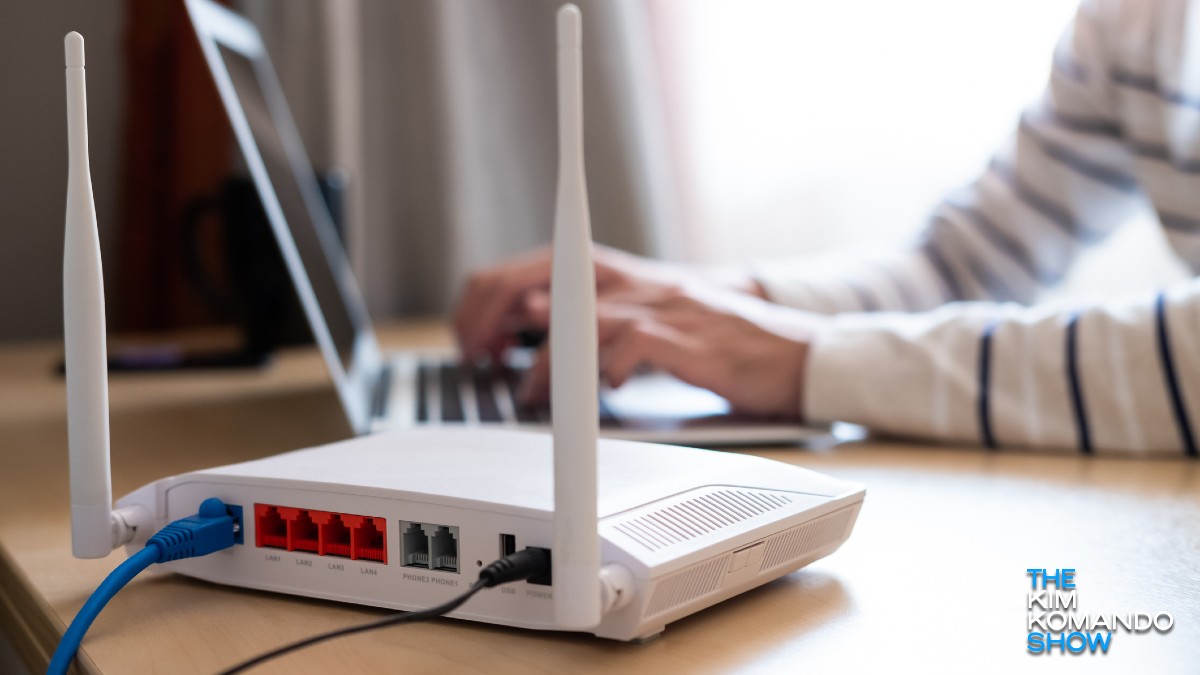
If you have wireless Internet at home, you probably have multiple devices connected to your network. It’s also easy to keep loading additional devices. A new laptop, another video game console, a tablet, or even a friend’s cell phone.

This congestion can slow down your network, but there are other causes as well. Tap or click here to see 10 ways to improve your network speed.

You can start to lose sight of everything that is connected to you, or worse, realize that it doesn’t belong. It is also possible that the user tried to connect to Wi-Fi without permission. Fortunately, there’s an easy way to see which devices are connected to your network, and remove the ones that shouldn’t be there.

Use your router’s online interface

This is a relatively easy way to understand who is using your network. Log in to your router to see the latest information about connected devices. This is a very universal feature, so most models support it.

First, you need your computer’s IP address. Tap or click here to find out how.

Receive free smart technology news in your inbox

Privacy, security, the latest trends and the information you need to stay safe online.

Once you have the IP address, enter it in your browser’s address bar. You should see the router menu. You must log in using your router’s custom username and password, or the default information if you have not configured one.

Once you’re in, check out the list like this: DHCP client or connected device. From there, you’ll see a list of devices currently using your network. If you see something you don’t recognize, change your Wi-Fi password and reconnect only with trusted devices. This is a fairly time-consuming process, but it’s worth it.

You can also manually remove individual devices from the list of connected gadgets. Find the command to remove, block, or remove.

Use an advanced IP scanner

If you don’t feel comfortable accessing your network, you can always let the app do it for you. Advanced IP Scanner is a free, reliable option that requires little input and provides quick results. Compatible with Windows 10 and 11.

To use Advanced IP Scanner, you must download and install Advanced IP Scanner and run the program to analyze your wireless network. Click the big green button. scan. A network scan will begin and display all devices currently connected to your Wi-Fi.

It takes just a few seconds and you can also export and save your results. This is a great method, especially for people who are less familiar with technology, as it is quick and easy.

Use the Acrylic Wi-Fi Analyzer

If you’re looking for something more lively, try Acrylic’s Wi-Fi Analyzer. With free and paid options to choose from, you can do more than just see what devices are on your Wi-Fi network.

The free version provides information for up to 5 devices, while the paid version provides information for an unlimited number of devices. It also helps you monitor traffic on your network, manage passwords, and more. This could be a great business solution or a viable option for people with multiple networks.

Don’t forget to remove these devices too

Sure you want to boot strangers from your network, but you also need to look closer to home.

  • Remove devices you no longer use, such as old phones, speakers, laptops, game consoles, and tablets.
  • Start a guest that hasn’t come in a while. And the next time you invite people over, have them connect to your guest network instead of your main network. Tap or click here and scroll to number 4 to learn how to set it up.
  • In some cases, technicians need access to your network to diagnose problems or set up new systems or devices. For example, her sprinkler technician may need access to her Wi-Fi to set up sprinkler zones. Disconnect the device when you are finished.
  • If you break up, be sure to delete your ex’s devices and all shared devices to be on the safe side.

important: Change your network password if necessary. Be especially careful when kicking out peeping strangers or people you’ve broken up with. This is the safest way to protect your privacy. Tap or click here for tips on protecting your account with a strong password.

Bonus: Your online activity is your business

Big tech companies should be handling our online personal data securely, but now they’re caught up in political games. I don’t want to be a part of that, and neither should you.

That’s why I trust and use my sponsor, ExpressVPN. These big tech companies use public IP addresses to match your internet activity to your identity and location, but with ExpressVPN, no one can see your IP address.

Please protect your privacy. Get 3 months free when you sign up for a year at ExpressVPN.com/Kim.

You may also like: Best apps to troubleshoot bad Wi-Fi


Source link

Share. Facebook Twitter Pinterest LinkedIn Tumblr Email
Previous ArticleWhat the data says about planting order and dates
Next Article Hot inflation data spooks Wall Street
5gantennas.org
  • Website

Related Posts

4 Best Wi-Fi Mesh Networking Systems in 2024

September 6, 2024

Best WiFi deal: Save $200 on the Starlink Standard Kit AX

August 29, 2024

Sonos Roam 2 review | Good Housekeeping UK

August 29, 2024
Leave A Reply Cancel Reply

You must be logged in to post a comment.

Latest Posts

4 Best Wi-Fi Mesh Networking Systems in 2024

September 6, 2024

India is on the brink of a new revolution in telecommunications and can lead the world with 6G: Jyotiraditya Scindia

August 29, 2024

Speaker Pelosi slams California AI bill headed to Governor Newsom as ‘ignorant’

August 29, 2024

Crypto Markets Rise on Strong US Economic Data

August 29, 2024
Don't Miss

Apple focuses on 6G for future iPhones

By 5gantennas.orgDecember 11, 2023

iPhone 15 Pro and Pro MaxWith Apple’s recent listing of cellular platform architects to work…

All connectivity technologies will be integrated in the 6G era, says Abhay Karandikar, DST Secretary, ET Telecom

January 31, 2024

5G-Advanced and 6G networks require additional spectrum

January 24, 2024

Subscribe to Updates

Subscribe to our newsletter and never miss our latest news

Subscribe my Newsletter for New Posts & tips Let's stay updated!

About Us
About Us

Welcome to 5GAntennas.org, your reliable source for comprehensive information on 5G technology, artificial intelligence (AI), and data-related advancements. We are passionate about staying at the forefront of these cutting-edge fields and bringing you the latest insights, trends, and developments.

Facebook X (Twitter) Pinterest YouTube WhatsApp
Our Picks

4 Best Wi-Fi Mesh Networking Systems in 2024

September 6, 2024

India is on the brink of a new revolution in telecommunications and can lead the world with 6G: Jyotiraditya Scindia

August 29, 2024

Speaker Pelosi slams California AI bill headed to Governor Newsom as ‘ignorant’

August 29, 2024
Most Popular

Will 5G make 2024 the most connected year in the industry?

December 1, 2023

The current state of 5G in the US and how it can improve

September 28, 2023

How 5G technology will transform gaming on the go

January 31, 2024
© 2025 5gantennas. Designed by 5gantennas.
  • Home
  • About us
  • Contact us
  • DMCA
  • Privacy Policy
  • About Creator

Type above and press Enter to search. Press Esc to cancel.